Face Biometric Attendance System Machine or App Installation and Maintenance Guide
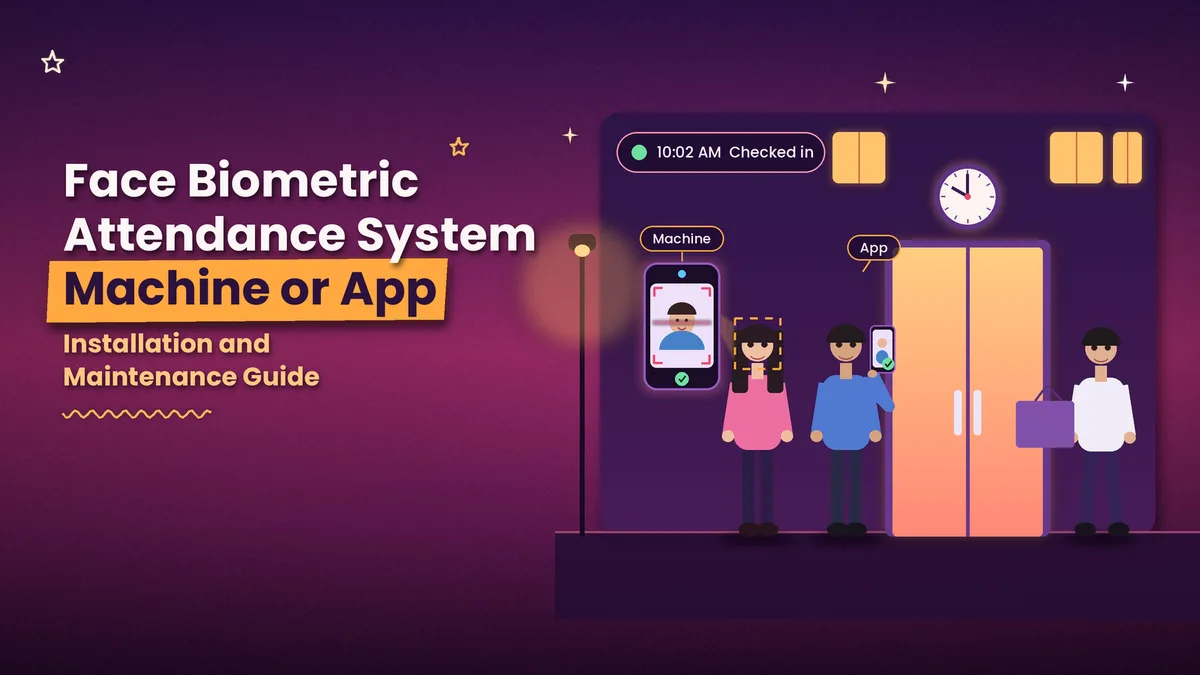
Most businesses that look at a face biometric attendance system ask about price and features first. The questions that decide whether it works are different: should you buy a machine or use an app, where should the device go, how does it connect to the internet, and who looks after it six months later? This guide covers those practical points. It is written for owners, HR teams and admin staff in India who want a system that works from the first week and keeps working.
You will see how a face biometric attendance machine compares with app-based check-in, how to install and test a device, and how to fix the problems that come up most often.
What Is a Face Biometric Attendance System?
A face biometric attendance system records attendance by recognising an employee's face. It has three parts. The first is the capture point, which is a camera in a fixed device or in a phone. The second is the software that matches the live face with the face saved during enrolment. The third is the record keeping, which stores check-in and check-out times, applies your shift rules and produces reports.
You will meet several names for the hardware version. A face recognition attendance machine, a face biometric attendance machine and a face biometric device usually mean the same thing: a wall or desk unit with a camera, a screen and a processor. The word system is wider, because it includes the software and reports behind that unit. A good device with weak software still gives you messy records, so judge both together.
Machine or App: How to Decide
This is the first decision, and it shapes everything after it. A machine suits a workplace where most people arrive at one gate at fixed times, such as a factory, a school or a single-site office. An app suits teams spread across branches, staff who visit client sites and small businesses that do not want to buy and maintain hardware. If you want to read about the types of devices and their specifications, our guide to face recognition biometric devices goes through them in detail. The table below compares the two routes on the points that matter day to day.
Point | Face biometric machine | App-based face check-in |
|---|---|---|
Hardware | Fixed device at each entrance | Employee's own smartphone |
Best for | One gate with a crowd at a fixed time | Many branches, field staff and small teams |
Setup effort | Mounting, power and network | Install the app and add staff |
Multiple sites | A device for every site | The same app everywhere |
Field staff | Not practical | Works with a location check |
Power and internet | Needs both, often with a backup battery | Needs phone internet |
Upkeep | Cleaning, firmware updates, repairs | App updates |
If it fails | A queue forms at the gate | Staff use another phone or a QR code |
Many businesses end up with a mix. They put a machine at the main gate and use the app for branches and field teams, with both sending records to one place.
Where to Place a Face Biometric Machine
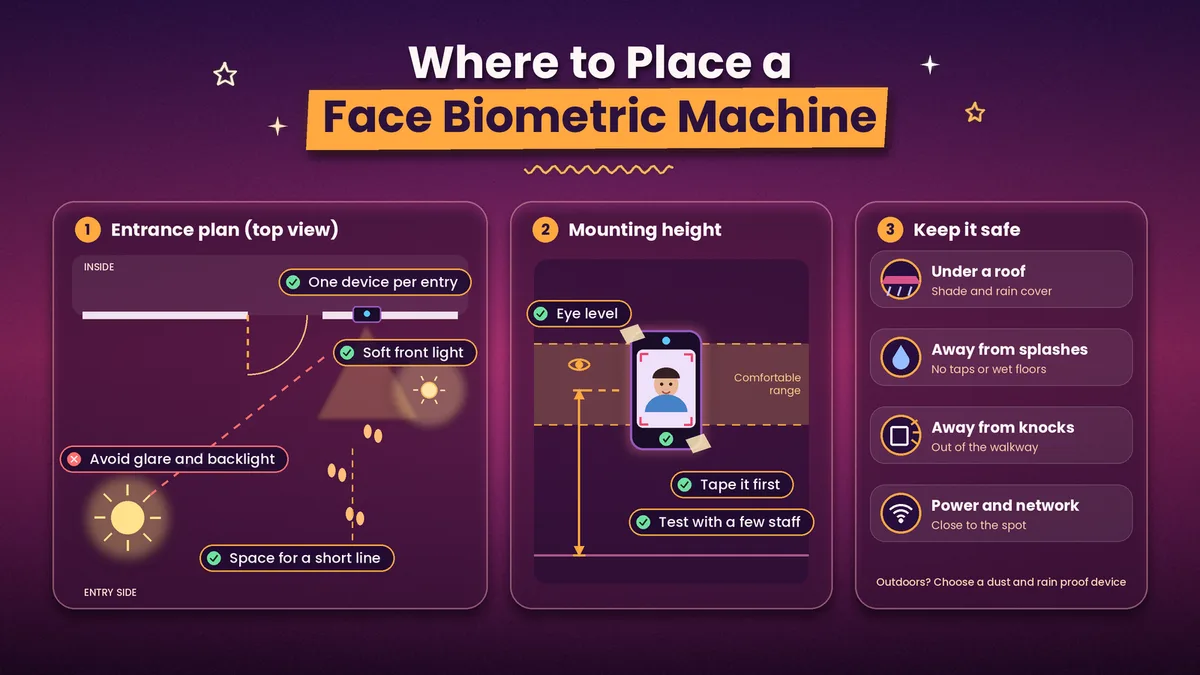
Placement decides more of the accuracy than any setting. Fix the device at about eye level for most staff, on a wall or stand at the entrance, with enough space for a short line to form without blocking the door. Avoid a spot where strong sunlight or a bright window falls on the camera or behind the person, because glare and backlight make faces hard to read. Even, soft light from the front gives the best results, and a small lamp near the device often fixes a dim corridor.
Plan one device for each entry point that staff actually use. If the device is outdoors or near a gate that opens to the street, choose one with protection against dust and rain, or place it under a roof. Keep it away from a place where it can be knocked or splashed. Before you drill, hold the device at the planned height and let a few staff of different heights try it. Tape it in place for a day first, so you can adjust the height and angle.
Network, Power and Data Setup
A machine is only as reliable as the power and network behind it. Use a wired LAN connection where you can, because it stays steady, and use Wi-Fi only if the signal at the device is strong. Give the device a fixed address on your network, so that the software can always find it. Check that the device clock is set to the correct time and that it syncs automatically, because a clock that drifts by ten minutes will make half your staff look late.
Power cuts are the other risk. A small backup battery keeps the device and router alive through short cuts, and many devices can store records offline and send them when the network returns. Ask how many records the device can hold offline and how it merges them later. Also decide how the data will move. Records should flow into your attendance software or payroll on their own, not through a monthly file copied by hand, so check how the device connects to your software before you buy.
Enrolment and Testing Before You Pay
Never buy on a brochure. Ask for a demo unit or a trial, and test it with your own staff. Enrol a mixed group: people with glasses, beards, caps or scarves, people of different heights and skin tones, and a few who look alike. Then check how fast the device responds, how often it fails to match a real person and how it behaves at your busiest time, when twenty people arrive within five minutes.
Test the cheating controls too. Hold up a printed photo and a phone screen with a face on it and see whether the device accepts them. Ask how the liveness check works. Also test the reports. Export a day of records and check that late marks, half days and overtime follow your rules. When you are ready to compare prices and vendors, our face recognition attendance system cost and buying guide lists what to compare.
Daily Use and Maintenance
A face biometric device needs little care, but the care must be regular. Wipe the camera lens and the screen every week, because fingerprints and dust blur the image. Update the device firmware when the vendor releases a fix, and keep a note of when you did it. Back up the attendance data on a schedule and confirm that the backup can be restored.
People change, so the records must change too. Remove the faces of staff who leave on their last day, and enrol new staff in their first week. Re-enrol anyone whose match keeps failing, especially after a big change of look. Once a month, compare a sample of the device records with what your supervisors saw, and look for check-ins that happen at strange hours. Keep a spare device or a backup method, such as QR check-in, so a broken unit does not stop attendance for a whole day.
Common Problems and Quick Fixes
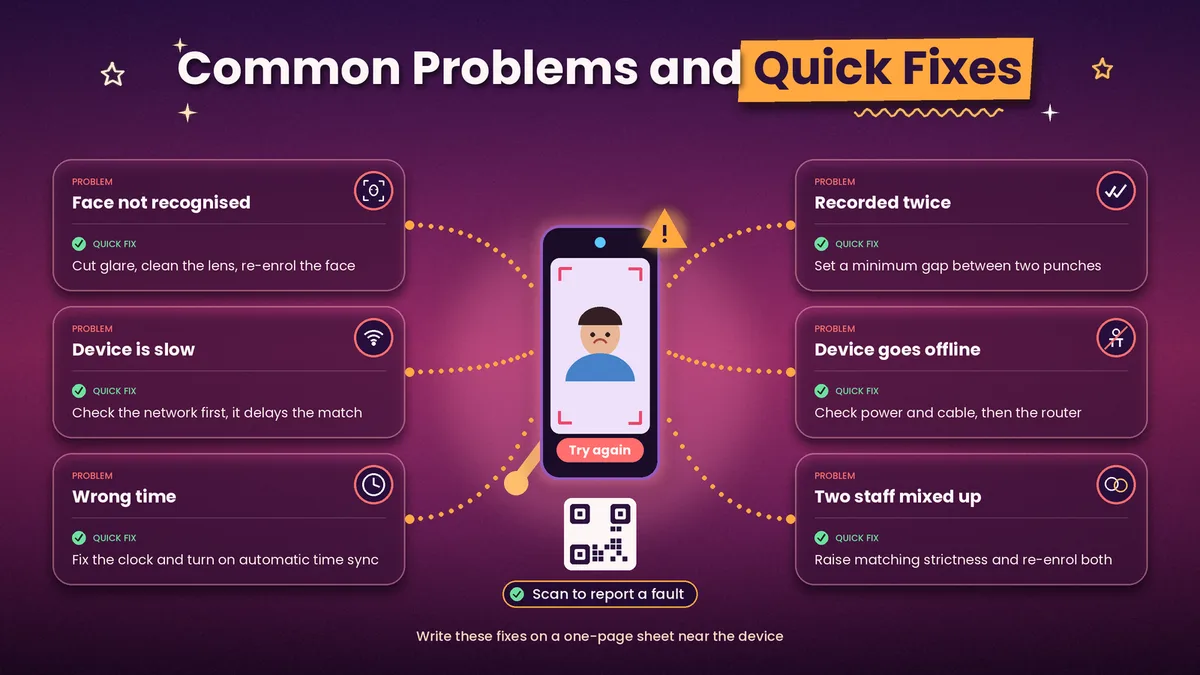
When a face is not recognised, the cause is usually light or enrolment. Check for glare behind the person, clean the lens, and re-enrol the face in good light from the front. When the device is slow, look at the network first, since a weak connection delays the match if the device checks a server. When times are wrong, fix the clock and turn on automatic time sync. When the same person is recorded twice, check whether the device allows a second punch within a short window and set a minimum gap.
If the device goes offline, check power and the network cable, then the router, and make sure it syncs the stored records once the connection returns. If two staff members are mixed up, ask the vendor to raise the matching strictness, and re-enrol both with several photos. Write these fixes on a one-page sheet near the device so that any supervisor can handle the first five minutes without calling anyone. Stick a small QR code next to the device that opens a WhatsApp chat with your admin or vendor support, so staff can report a fault at once, and a free WhatsApp link generator can create that code in a minute.
Privacy Basics for Face Data
Face data is personal data, and India's Digital Personal Data Protection Act, 2023 applies to how employers handle it. Tell staff in writing what you collect and why, take their consent before you enrol them, and offer an alternative, such as a QR check-in or a PIN, for anyone who does not want to enrol. Limit who can see the data, store it securely and delete it when the employee leaves. This is general information and not legal advice, so check your policy with a legal adviser.
Face Biometric Attendance with Attendi
Attendi takes the app route, so there is no separate device to mount, power or repair. Employees can check in with face capture, which is available on the Pro plan, and with QR attendance and selfie attendance on the higher plans. Field work attendance covers staff who work at client sites or on the road, and employee management keeps every record in one place. Custom settings let you define shifts, working hours, late rules, holidays and weekly offs, and leave management links approved leave to attendance so a leave day is not marked absent.
Every check-in feeds the attendance reports and leave management in the same place, which give daily and monthly totals for payroll. Attendi comes with a 15-day free trial when you sign up at attendi.in, so you can test face check-in with your own team, at your own entrance, before you decide between a machine and an app.
Final Thoughts
A face biometric attendance system works best when the choices around it are right. Decide first whether a machine, an app or a mix suits your sites. Place and power the device with care, test it with your own staff before you pay, look after it every week and keep a backup method ready. With those steps in place, the system gives you clean records, fewer disputes and a payroll that closes in hours instead of days.