How to Choose an Automated Attendance System Using Face Recognition
Two kinds of readers search for an automated attendance system using face recognition. The first is a business owner or HR manager who wants attendance to run on its own. The second is a student or developer who wants to build one in Python for a project. Both end up asking the same question: should you build it or use a ready-made system? This guide explains how the technology works, how a Python version is built, where a home-made version falls short at a real workplace, and how the two routes compare.
What Is an Automated Attendance System Using Face Recognition?
An automated attendance system using face recognition marks attendance by identifying people from their faces, without anyone typing or signing. A camera captures the face, the software finds it in the frame and compares it with saved faces, and the system records the name, date and time of the match. You will also see it called a smart attendance system using face recognition, and the idea is the same under both names.
There are two steps inside the match. Face detection finds a face in the picture. Face recognition decides whose face it is, by turning the face into a set of numbers and checking how close those numbers are to a stored set. If the match is close enough, attendance is marked. The word automated means that everything after the camera, from the time stamp to the daily and monthly totals, happens without manual work.
How a Face Recognition Attendance System Using Python Works
A facial recognition attendance system in Python follows a simple pipeline. First, you collect photos of each person, often five to ten per person in different light. Second, a library such as OpenCV opens the camera and reads video frames. Third, a face detector finds each face in a frame. Fourth, a recognition library, such as face_recognition (built on dlib) or DeepFace, converts each face into an encoding, which is a list of numbers. Fifth, the program compares the live encoding with the saved ones and picks the closest match if it is below a set distance. Sixth, it writes the name and the time into a CSV file or a database, and skips the person if they are already marked for the day.
That is the whole idea, and a working demo can be built in a weekend. The same pipeline can be extended with a simple window or web page, a button to add new people and a report that lists who was present. For a college project, this is a good way to learn computer vision, because every step is easy to see and change.
Tips for Building Your Own Version
Start small, with five to ten people, and test before you add more. Take training photos in different light, from slightly different angles and with and without glasses, because a single clear photo makes the system weak outside the lab. Store the encodings once and reload them on start, instead of recomputing them for every frame, which keeps the video smooth on an ordinary laptop. Process every second or third frame, not every frame, to save time.
Use a database such as SQLite instead of a plain text file as soon as you have more than a few people, and add a rule that a person can be marked only once in a time window. Test the system with a printed photo and a phone screen. If it accepts them, you have found the main weakness, which the next section explains.
Where a Python Project Falls Short at a Real Workplace
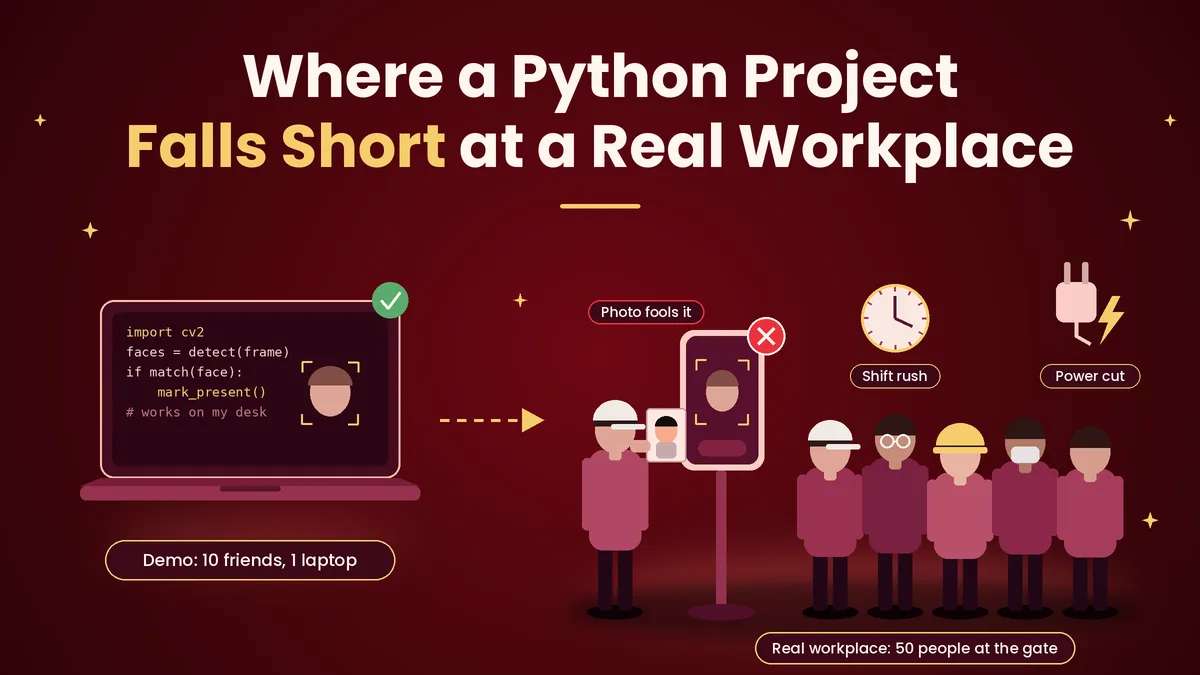
A demo that works on ten friends in your room can fail in an office or a factory. Light changes through the day, people wear caps and glasses, and a gate with fifty people at shift start needs a fast match. Most Python demos have no liveness check, so a photo held up to the camera can mark attendance. They also run on one laptop, so a second gate, a second branch or a power cut breaks them.
Then there is the work around the match. A business needs shift rules, late marks, half days, overtime, holidays and leave, and it needs reports that payroll can use. It needs user roles so that only HR can edit records, backups, an audit trail and someone to fix problems on a Monday morning. A ready-made tool covers these through features like Attendi's attendance reports and leave management, which are built for payroll and not for demos. Writing all of that yourself is a bigger job than the face matching.
Build vs Ready-Made: A Side-by-Side View
The table below compares the two routes on the points that matter to a business. If you are weighing the money side, our guide to the face recognition attendance system cost explains what ready-made systems charge and why.
Point | Python project | Ready-made system |
|---|---|---|
Best for | Learning, college projects, small experiments | Running a real business or institution |
Time to start | A weekend for a demo, months for a usable tool | Hours to days |
Accuracy in changing light | You tune it yourself | Tuned and tested by the vendor |
Photo and proxy protection | Usually missing unless you build it | Liveness checks and device controls |
Shift, leave and overtime rules | You write them | Built in |
Reports and payroll | You write them | Built in |
Support and updates | Your own time | Provided by the vendor |
Data protection duties | Fully on you | Shared, with the vendor's security |
A student project is not worse for being a project, because its purpose is learning. The point of the table is that a business is buying the rules, reports and support around the face match, and those cost more effort than the match itself.
Where Automated Face Attendance Is Used
Offices use it to end manual registers and buddy punching. Factories and warehouses use it because workers arrive in batches and their hands are often dirty. Schools and colleges use it for staff at the main gate. Hospitals and clinics use it for touch-free check-in across three shifts. Housing societies use it to keep a clean record of guards, housekeeping and maintenance staff, and a housing society management software can handle gate entry and visitor records alongside it.
In each place, the choice between a fixed device and phone-based check-in depends on how many gates and sites you have. Many sites with few staff each suit an app, and one gate with a crowd suits a device.
Privacy and Consent
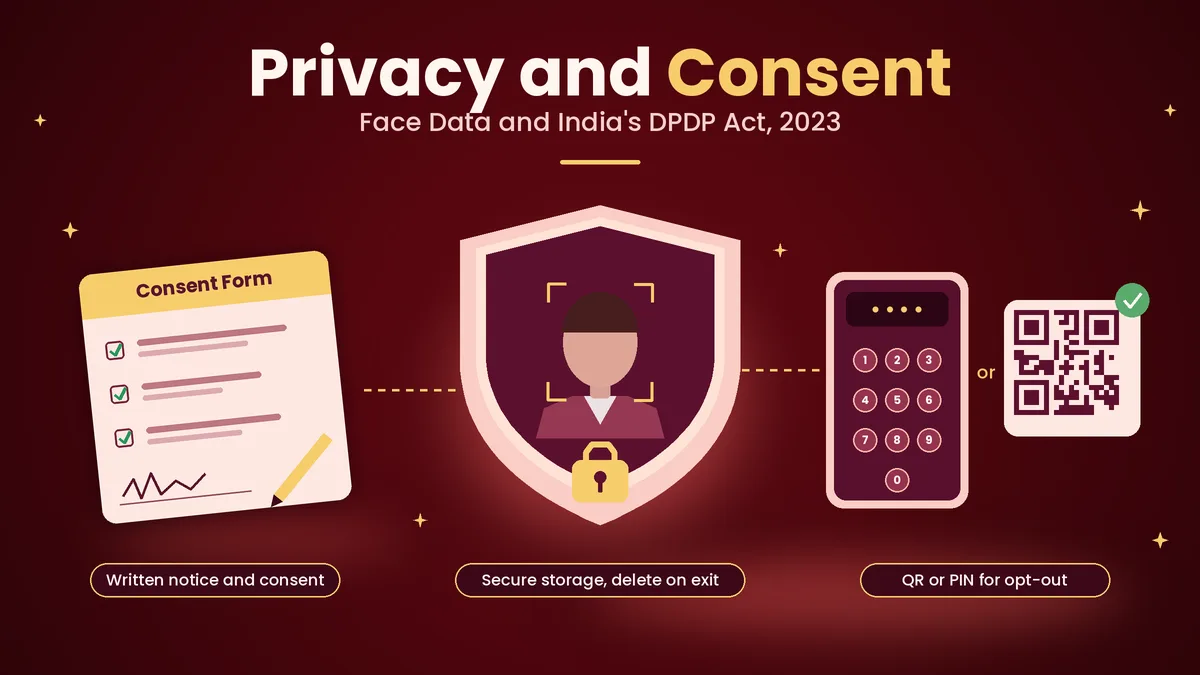
Face data is personal data, and India's Digital Personal Data Protection Act, 2023 applies to how employers and institutions handle it. Tell people in writing what you collect and why, take their consent before you enrol their faces, and offer a simple alternative, such as a QR check-in or a PIN, for anyone who does not want to enrol. Store the data securely, limit who can see it and delete it when the person leaves. Student developers should follow the same habits and test with friends who have agreed. This section is general information and not legal advice.
Automated Attendance with Attendi
If you want automated attendance without writing it yourself, Attendi gives you a ready-made system through the app. Employees can check in with face capture, which is available on the Pro plan, and with QR attendance and selfie attendance on the higher plans. Field work attendance covers staff who work away from the office, and employee management keeps every record in one place. Custom settings let you define working hours, shifts, late rules, holidays and weekly offs, and leave management links approved leave to attendance so that leave is not marked as absent.
You can see the whole flow on the how Attendi works page, and Attendi comes with a 15-day free trial when you sign up at attendi.in, so you can test face check-in with your own team before you decide.
Final Thoughts
Building an automated attendance system using face recognition in Python is a good way to learn how the technology works, and a working demo is within reach of any student. Running attendance for real people, with shifts, leave, payroll, privacy and support, is a different job. If you are learning, build it. If you are running a workplace, use a ready-made system, test it with your own staff, and keep your Python skills for the day you want to understand what is happening inside it.