Staff Attendance Register From Manual Entries to Digital Records
A staff attendance register has always been a simple idea: write down who came to work and when. For years that meant a paper book, a signature and a pen. But every manual entry carries small risks, such as a forgotten signature, an unreadable time or a page that goes missing, and those risks add up when the monthly attendance report has to be prepared and salary depends on it. A digital record keeps the same information but captures it at the moment it happens, tags it to a person and keeps a history of every change. This guide follows the path from manual entries to digital records, shows what changes at each step and explains how to make the move without losing control of your data.
What Is a Staff Attendance Register Today?
A staff attendance register is the record of employee presence: who was present, absent, late or on leave on each working day. It might be a bound book at the entrance, a shared spreadsheet or software on a phone.
The format is less important than the job it does. A register gives you the data for salary and leave, a live picture of who is at work and a record you can show if there is a question later. A manual register does this job slowly, and a digital one does it almost automatically.
The Life of a Manual Entry
It helps to follow a single entry through a manual register and see where it can go wrong.
Written. The employee signs or the supervisor writes a tick, often at a busy time of day.
Checked. Someone looks at the page, if they remember to.
Totalled. At month end, a person counts present days, leave and late marks for every employee.
Copied. The totals are typed into a sheet or payroll file.
Stored. The book goes into a cupboard.
At every step, a human has to read, count or copy, and every hand-off is a chance for a mistake. A wrong tick in step one can travel all the way to a salary slip in step four.
Why Manual Entries Cause Trouble
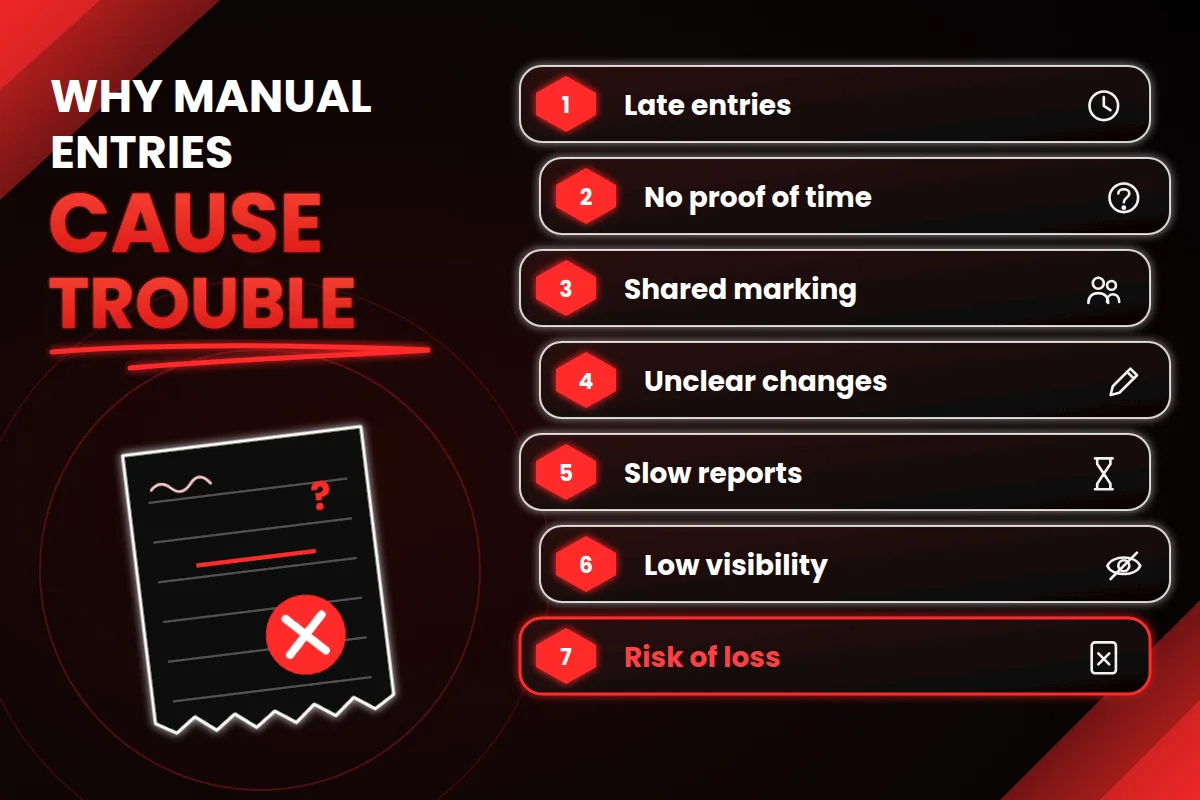
Entries are made late. People fill the register from memory at the end of the day or week.
No proof of time. A tick does not show when someone arrived, so late marks and overtime become opinions.
One person marking for another. A shared book makes this easy.
Unclear changes. Overwriting and strike-throughs are hard to read and harder to trust.
Slow reporting. The monthly attendance report takes hours of counting.
Limited visibility. A manager at another site cannot see who is in today.
Risk of loss. A damaged or missing book removes the record entirely.
None of this means your staff are careless. A paper register simply asks people to do a machine's job.
What Changes When Entries Become Digital Records
A digital record keeps the purpose of the register but changes how each entry is made, checked and used. The table below compares the two side by side.
Aspect | Manual entry | Digital record |
|---|---|---|
Making the entry | Signature or tick in a book or sheet | Check-in on a phone or computer |
Time of entry | Often filled in later | Recorded at the moment of check-in |
Proof of time | Handwritten or none | Time stamped automatically |
Late marks | Judged by the supervisor | Applied by the written grace-time rule |
Corrections | Overwriting or strike-through | Correction request with approval and history |
Leave balance | Kept in a separate notebook | Linked to the same record |
Monthly attendance report | Counted by hand | Built from daily records |
Live view | Only at the site | Available to managers anywhere |
Storage | One physical book | Cloud storage with backups |
The real gain is not the technology itself. It is that every entry is made once, in the right place, at the right time, and never needs to be copied again.
What a Digital Record Contains
A good digital attendance record usually holds more than a tick:
Who: the employee's own login or ID.
When: the date and the time of check-in and check-out.
Status: present, late, half day, leave or weekly off, applied by your rules.
Context: remarks, and in some tools the place where attendance was marked, if your policy allows it.
Approvals: who approved a leave request or a correction.
History: a log of any change, with the date and the person who made it.
That history is what turns a register from a list into a trustworthy record.
From Daily Records to the Monthly Attendance Report
In a manual register, the monthly attendance report is a counting exercise. In a digital one, it is a view of data that already exists. For each employee, the report shows the working days, days present, leave taken, unpaid days, late marks and overtime hours.
Three checks keep the report reliable, whatever the format:
Every working day has an entry for every employee, including weekly offs and holidays.
Present days, paid leave and unpaid leave add up to the working days in the month.
Leave in the report matches approved leave requests.
A digital system can run these checks as it builds the report, so gaps show up before salary is prepared.
Corrections Without Confusion
Mistakes will happen in any register, such as a missed check-in or a wrong status. In a paper book, the fix is a messy strike-through that nobody can verify. In a digital record, the employee raises a correction request with a reason, the manager approves or rejects it, and the system keeps both the original entry and the change. This keeps the record fair to the employee and clear for the business.
Features to Look For in a Digital Attendance Record
A long feature list can hide the few things you actually need. Start with this shortlist:
Mobile check-in that is quick and works on a slow connection.
Flexible rules for grace time, half days, overtime, week offs and your own leave types.
Correction requests with approval and a visible history.
Leave management with online requests and visible balances.
Role-based access so managers see only their own team.
Reports you can export, including the monthly attendance report.
Audit trail that shows who changed a record and when.
Employee self-service so staff can check their own attendance.
To see how attendance, leave and employee records come together in one tool, you can look at the Attendi features page.
Guards, Housekeeping and Contract Staff
Office employees are only part of the picture. Guards, housekeeping staff, drivers and maintenance workers also need a clear attendance record, and they are often the ones who are left on a paper book at the gate. Housing societies are a good example, since guards, housekeepers and technicians depend on a committee that may be handling attendance, visitors and complaints through registers and chat groups. Platforms such as Socnivo show how a society can keep staff, visitor and complaint records in one app instead of several books. Whatever you use, the principle is the same: every person who works for you should have a record that is clear, dated and easy to check.
Moving Your Old Records
Going digital does not mean throwing away your paper registers.
Keep old registers safely. You may need them for audits or disputes, and the required period depends on your type of establishment and state.
Scan or photograph key pages, such as the last few months, so they can be found without a cupboard search.
Carry over leave balances. Enter each employee's opening leave balance on the day you switch, and note who confirmed it.
Do not re-enter every old entry. Start the digital record from a clear date and archive the past.
Record-Keeping and Legal Points
In India, many workplaces are expected to maintain attendance and wage records, and the exact requirements depend on the type of establishment, its size and the state. This is general information and not legal advice. Confirm your own duties, including how long records must be kept and in what form, with a qualified labour-law or payroll professional.
Privacy and Data Safety
A digital attendance record is personal data: names, working patterns and sometimes location or photos. Before you choose a tool, ask:
Who can see which data, and can I limit access by role?
Is data encrypted, and where is it stored?
How often are backups taken, and how can I restore them?
Is there a log of who viewed or changed records?
Is there a clear privacy policy I can read before signing up?
A published policy is a good sign that a vendor takes the subject seriously. You can read how Attendi explains this on the Attendi privacy policy page. In India, the Digital Personal Data Protection Act, 2023 sets duties for organisations that handle personal data, and its rules are being brought into effect in stages. Confirm your own duties with a qualified professional.
How to Move From Manual Entries to Digital Records in 30 Days
The safest way is to run both methods side by side for one month.
Write down your rules on one page: hours, grace time, half days and leave types.
Clean your employee list with names, IDs and shift timings.
Pick one pilot team with a willing manager.
Train managers first, then employees, using real examples.
Keep the register and use the system together for one month.
Compare the two monthly attendance reports and fix differences in rules or data.
Set a switch date. After that date, only the digital record counts.
To see what the setup flow looks like before you begin, the Attendi how it works page explains it step by step.
Common Mistakes to Avoid
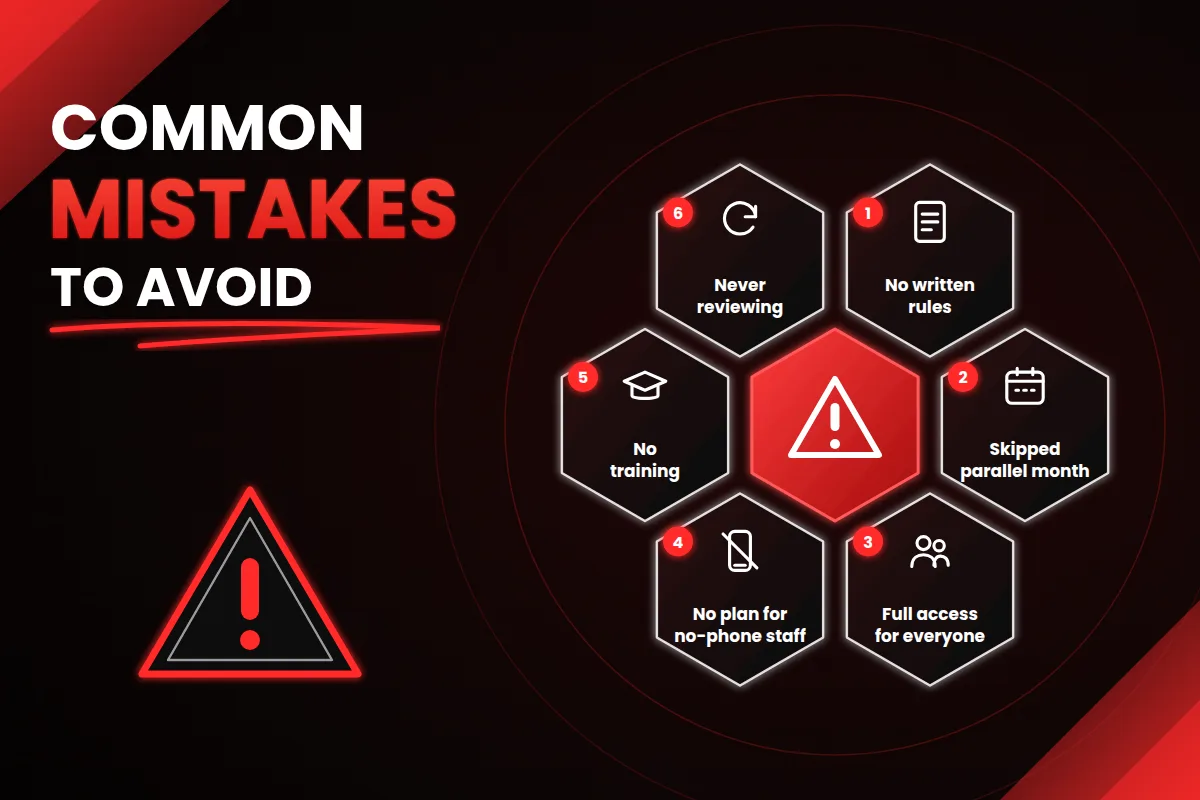
Switching without written rules. If your policy is unclear, the software only records the confusion.
Skipping the parallel month. Running both methods once catches most setup errors.
Giving everyone full access. Attendance data should be visible only to the people who need it.
Ignoring staff without smartphones. Plan another way to check in for anyone who needs it.
Forgetting training. A short session with real examples prevents weeks of confusion.
Never reviewing. A setup that suits ten people may need changes at fifty.
How to Measure the Improvement
You do not need complex analytics. Compare a few simple signs before and after the switch:
Time taken to prepare the monthly attendance report.
Number of missing or corrected entries.
Number of disputes about late marks or leave.
Share of entries verified within the week.
Employee feedback on how fair the record feels.
If these numbers improve, your move from manual entries to digital records is working.
Frequently Asked Questions
What is a staff attendance register? It is a daily record of which employees were present, absent, late or on leave, used for salary, leave and reporting.
What is the difference between a manual register and a digital record? A manual register relies on handwritten entries that are totalled by hand. A digital record captures each entry with a time stamp, applies your rules and builds reports automatically.
What is a monthly attendance report? It is a summary built from the daily register that shows, for each employee, the working days, present days, leave, unpaid days, late marks and overtime for the month.
Can I switch without losing old data? Yes. Keep old registers safely, scan key pages and start the digital record from a clear date with opening leave balances.
What if some staff do not have smartphones? Use another check-in method for them, such as a shared device or manager entry with approval, and write that into your policy.
Is a digital attendance record accepted as a record? Requirements depend on your type of establishment and state, so confirm the accepted form of records with a qualified professional.
How long does the switch take? For a small team, basic setup takes a few days to two weeks. Running both methods for one month takes most of the time.
Final Thoughts
The staff attendance register is changing from something you write in to something that records itself. The purpose is the same: a fair, clear record of who worked and when. What changes is that entries are made at the right moment, checked by rules, corrected with a visible history and turned into a monthly attendance report without hours of counting. Start with your rules, run both methods for a month and keep what works. With a careful, parallel start, the move from manual entries to digital records feels less like a big change and more like finally having a register you can trust.