Field Worker Attendance System Track Employee Attendance and Work Hours Easily
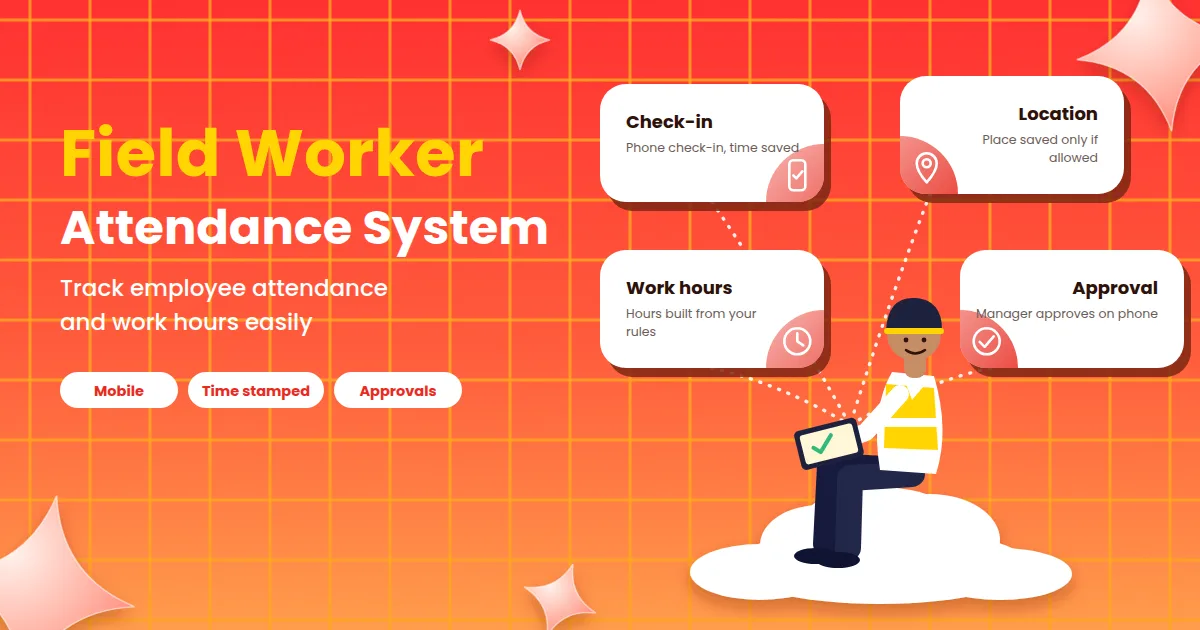
A field worker attendance system records when employees who work outside the office start their day, where they are working and when they finish, so that attendance and work hours are based on real data instead of phone calls and guesswork. For sales teams, service technicians, delivery staff, surveyors and security guards, a paper register at the head office tells you very little. Supervisors end up chasing messages to learn who has reached the site, and salary day brings arguments about hours nobody can prove. This guide explains what a field worker attendance system is, how it works, how to track work hours fairly, what to look for in a tool and how to start without upsetting your team.
What Is a Field Worker Attendance System?
A field worker attendance system is software that lets employees mark attendance from their own phones, wherever they are working. Managers see who has checked in, who is late and who has finished, and the system turns these records into daily hours, leave and monthly totals.
It is often part of a wider employee attendance system, but the field version adds what outside work needs: mobile check-in, flexible shifts, optional location records and a way to handle poor network. The goal is not to watch people constantly. It is to have one clear, fair record of the working day.
Why Field Teams Are Hard to Track
Teams that work away from the office face problems that a desk-based register cannot solve:
No common starting point. People begin the day at a client site, a depot or their home, not at one gate.
Manual reporting. Attendance arrives as phone calls, WhatsApp messages or end-of-week summaries.
Unclear hours. Travel, waiting at a site and breaks are counted differently by different supervisors.
No live view. A manager cannot say quickly who is on a visit and who has not started.
Disputes at month end. Without time-stamped records, an employee and a manager remember different days.
Slow payroll. Collecting attendance from several supervisors delays salary.
These are not signs that field staff are unreliable. They are signs that the tool was designed for a different kind of work.
How a Field Worker Attendance System Works
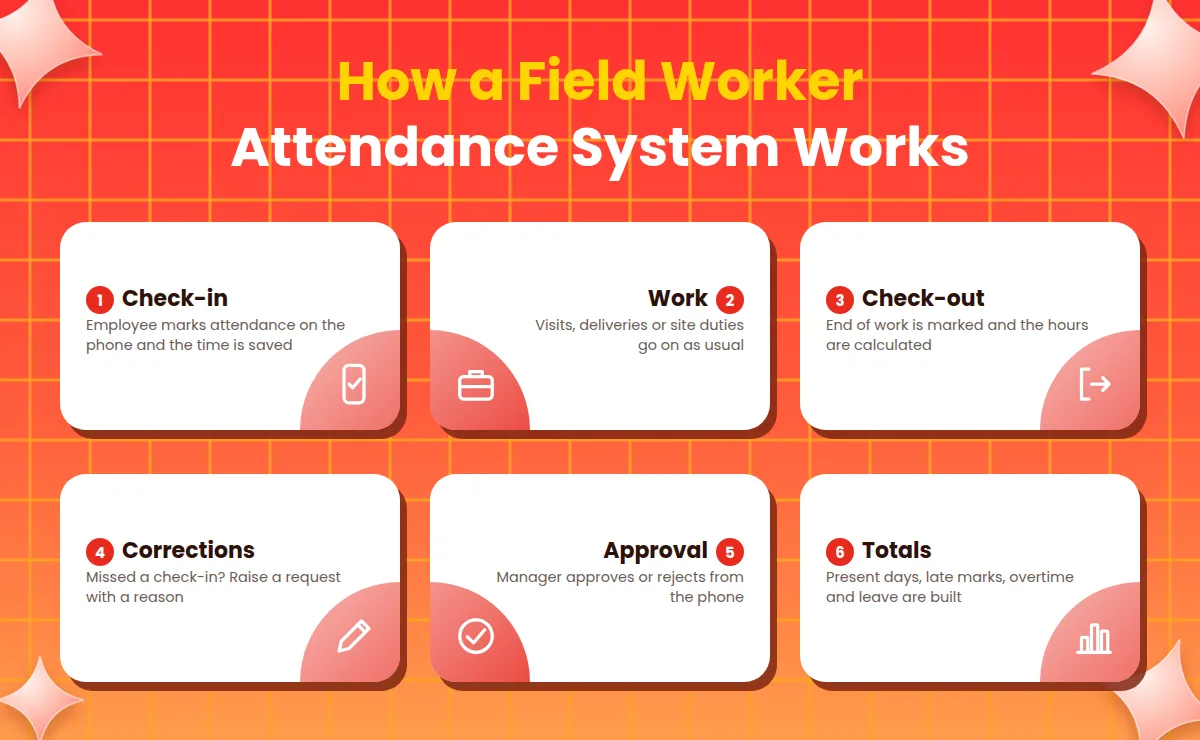
The daily flow is simple and almost the same in every tool.
Check-in. The employee opens the app at the start of work and marks attendance. The time is recorded, and the place may be recorded if your policy allows it.
Work. The employee goes about the visits, deliveries or site duties for the day.
Check-out. At the end of work, the employee marks check-out, and the system calculates the hours.
Corrections. If someone forgets to check in or the network fails, they raise a correction request with a reason.
Approval. The manager approves or rejects corrections and leave from their own phone.
Totals. At the end of the cycle, the system builds present days, late marks, overtime and leave for each person.
The key idea is that you enter your rules once, and the system applies them to everyone in the same way.
Field Attendance Methods Compared
Businesses record field attendance in several ways. The table below compares the common ones.
Method | How it works | Good for | Watch out for |
|---|---|---|---|
Call or message to supervisor | Employee informs the supervisor when work starts | Very small teams | No time-stamped proof, easy to forget and hard to total |
Paper register at the depot | Employee signs when visiting the base | Teams that start the day at one place | Does not cover time spent on site or in the field |
Mobile app check-in | Employee marks attendance on a phone | Most field and shift teams | Needs a smartphone and some internet |
Mobile check-in with location | Phone records where attendance was marked | Site visits, deliveries and sales routes | Needs clear consent, a fair policy and care with data |
Shared device at the site | One device at the site is used by all workers | Construction sites or projects with fixed locations | Queues and one person marking for another |
Many businesses combine two methods, such as app check-in for most staff and a shared device at a large site. Whatever you choose, all records should end up in one system.
Tracking Work Hours for Field Staff
Attendance is only half the story. For field staff, work hours need clear rules, because the day is less regular than in an office. Decide these points in writing before you switch:
When the working day starts and ends: at the first check-in, at the first visit or at the depot?
Travel time: is travel from home to the first site counted, and is travel between sites counted?
Breaks and waiting time: how are they treated?
Minimum hours for a full day and for a half day.
Late marks: what grace time applies, and what happens after it?
Overtime: when does it start, who approves it and how is it paid or compensated?
Missed check-ins: how are corrections raised, and by when?
Overtime and working-hour rules can be set by law for some workplaces, so confirm your duties with a qualified labour-law or payroll professional. A system can then apply the rules you give it the same way to everyone.
Location Records: What to Use and What to Avoid
Many field attendance tools can record the location where a check-in was made. Used carefully, this helps confirm that a visit took place at a client site or a route stop. Used carelessly, it feels like surveillance and damages trust.
A fair approach looks like this:
Record location only at check-in and check-out, not continuously, unless your work truly needs it.
Explain it in writing: what is recorded, why and who can see it.
Collect only what you need for attendance and visit proof.
Offer another way to check in if someone cannot use location, and decide how that is approved.
Limit who can view it and delete it when it is no longer needed.
Because location data is personal data, confirm your obligations with a qualified professional.
What If the Network Is Poor?
Field work often means weak signal. A good system lets the employee mark attendance and keeps the time of the action, then syncs it when the connection returns. Ask any provider how check-in behaves on a slow or lost connection, and test it on a real route before you decide. Until you have tested it, assume nothing.
Key Features to Look For
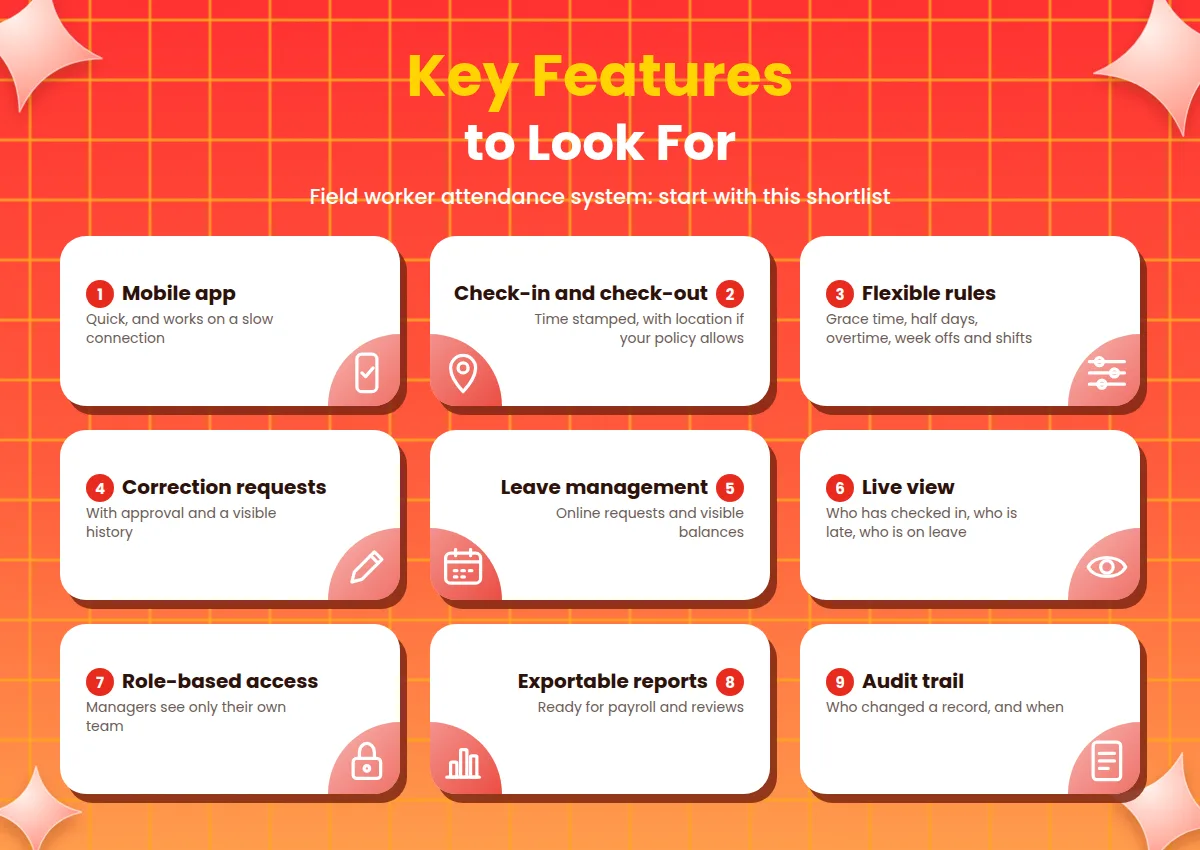
A long feature list can hide the few things you actually need. Start with this shortlist:
Mobile app that is quick and works on a slow connection.
Check-in and check-out with time stamps and, if your policy allows, location.
Flexible rules for grace time, half days, overtime, week offs and shifts.
Correction requests with approval and a visible history.
Leave management with online requests and visible balances.
Live view of who has checked in, who is late and who is on leave.
Role-based access so managers see only their own team.
Reports you can export for payroll and reviews.
Audit trail that shows who changed a record and when.
To see how attendance, leave and employee records come together in one tool, you can look at the Attendi features page.
Benefits of a Field Worker Attendance System
Accurate records. Attendance is recorded when it happens, not rebuilt from memory.
Less chasing. Supervisors stop collecting messages and can see the team at a glance.
Fair hours. The same rules for late marks, half days and overtime apply to everyone.
Faster payroll. Totals are ready when the cycle ends.
Fewer disputes. A time-stamped record settles most questions quickly.
Better planning. You can see coverage across routes, sites and shifts.
More trust. Employees can see their own attendance and leave, so there is less suspicion about deductions.
Who Needs a Field Worker Attendance System?
Any business with staff outside a single office can use one, but the gain is clearest for:
Sales and marketing teams visiting clients and markets.
Service and repair technicians moving between customer sites.
Delivery and logistics staff on routes and shifts.
Security guards and facility staff posted at different locations.
Survey, audit and inspection teams working on short assignments.
Construction and project crews at changing sites.
Compliance and Legal Points
Attendance and wage record requirements in India depend on the type of establishment, its size and the state, and rules on working hours and overtime may apply. A system can keep accurate records and apply the rules you give it, but it does not decide your legal duties. Confirm your obligations, including how long records must be kept, with a qualified labour-law or payroll professional.
Privacy and Data Safety
Field attendance data can include names, working patterns, location and sometimes photos. Before you choose a provider, ask:
Who can see which data, and can I limit location access by role?
Is data encrypted, and where is it stored?
How often are backups taken, and how can I restore them?
Is there a log of who viewed or changed records?
Is there a clear privacy policy I can read before signing up?
A published policy is a good sign that a vendor takes the subject seriously. You can read how Attendi explains this on the Attendi privacy policy page. In India, the Digital Personal Data Protection Act, 2023 sets duties for organisations that handle personal data, and its rules are being brought into effect in stages. This is general information and not legal advice, so confirm your own duties with a qualified professional.
How to Choose the Right System
List your problems. Write down what hurts most, such as missing check-ins, disputed hours or slow payroll.
Map your field routes. Note where staff work, which phones they use and how good the network is.
Write your hour rules. Put start and end of day, travel, breaks, overtime and leave on one page.
Test on a real route. Mark attendance, work offline for a while, correct a missed check-in and approve a request yourself.
Compare the full cost. Most tools charge per person per month, and prices are often shown before GST, so ask for the total you will pay.
Check security and support. Ask about permissions, backups and response time.
There are many attendance tools, including attendance-focused products such as attandance.in. Whichever you consider, test it with your own rules and a small field team before you decide.
How to Start in 30 Days
Most failed rollouts try to change everything in a week. A steadier plan works better.
Write down your rules for hours, grace time, travel and leave on one page.
Clean your employee list with names, teams and shift timings.
Pick one pilot team with a willing supervisor.
Train supervisors first, then field staff, using a real route as the example.
Run both methods for one cycle. Keep the old reporting beside the system for a month and compare the totals.
Fix differences in rules or data before switching fully.
Set a switch date. After that date, only the system record counts.
To see what the setup flow looks like before you begin, the Attendi how it works page explains it step by step.
Common Mistakes to Avoid
Starting without written hour rules. If travel and overtime are unclear, the software only records the confusion.
Tracking more than you need. Constant location tracking damages trust and adds privacy risk.
Skipping a field test. A tool that works in the office may struggle on a weak network.
No correction process. Missed check-ins are normal, and staff need a fair way to fix them.
Giving every manager full access. Supervisors should see only their own team.
Never reviewing. A setup that suits ten people may need changes at fifty.
How to Measure Whether It Is Working
You do not need complex analytics. After two or three months, look at a few simple signs:
Time taken to prepare attendance and salary after the cycle ends.
Number of missed check-ins and corrections.
Number of disputes about hours or late marks.
Share of corrections approved within a day.
Feedback from field staff on how easy the app is to use.
If these numbers improve, the system is doing its job.
Frequently Asked Questions
What is a field worker attendance system? It is software that lets employees working outside the office mark attendance from their phones, and turns those records into daily hours, leave and monthly totals.
How does it track work hours? The system records check-in and check-out times and applies your rules for breaks, late marks, half days and overtime to calculate hours.
Does it need location tracking? Not always. Many businesses record location only at check-in and check-out to confirm visits, and some use no location at all. Decide based on your work and explain it to your staff.
What happens if there is no network? A good system keeps the time of the action and syncs when the connection returns. Test this on a real route before you decide.
Can employees correct a missed check-in? Yes. They raise a correction request with a reason, and the manager approves or rejects it, with the change recorded.
Is it only for large companies? No. Small teams with a few field employees often gain the most, because the owner saves time on calls and manual totals.
Is employee location data safe? It depends on the tool and how you use it. Ask about role-based access, encryption, backups and a published privacy policy, and collect only what you need.
Final Thoughts
A field worker attendance system is a simple idea: one fair, time-stamped record of the working day for people who are never at one desk. You do not need the biggest tool. You need one that works on your routes, follows your hour rules and respects your staff's privacy. Start by writing your rules, test on a real route with a small team and keep what works. With a careful start, attendance stops being a daily chase and becomes a record you and your field team can both trust.